
How to set up Payment Details and Withdraw
In order to withdraw you first need to set up your payment details on your Clicklancers account by following the steps below.
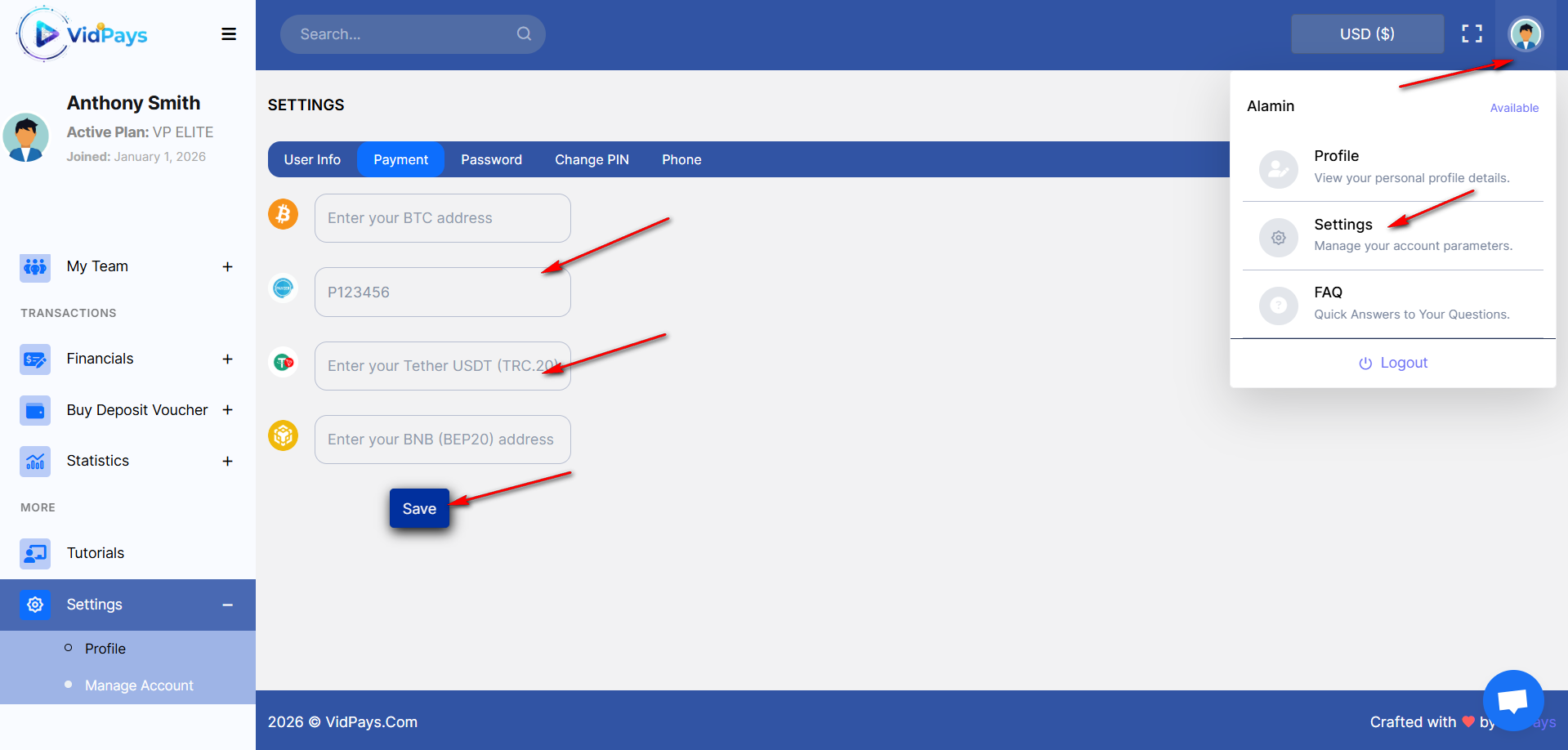
Click on settings then on Payment and add your preferred payment method you can choose between Crypto, Perfect Money or Payeer
The Payeer account starts with a P for example P2537839
The Perfect Money account starts with a U eg U889356
For Crypto payments you enter your TETHER (USDT) wallet address
Enter your pin (secret pin created during registration) and click on Save
Click on settings then on Payment and add your preferred payment method you can choose between Crypto, Perfect Money or Payeer
The Payeer account starts with a P for example P2537839
The Perfect Money account starts with a U eg U889356
For Crypto payments you enter your TETHER (USDT) wallet address
Enter your pin (secret pin created during registration) and click on Save
Updated on: 09/03/2023
Thank you!