
How to Withdraw Using Perfect Money
To create Perfect Money account, just follow the below steps and get your perfect money account active.
Visit www.perfectmoney.com and fill the required details. The fields are self-descriptive and you won’t have any issue filling out.
Login to your Perfect money account and copy the USD account number which normally starts with letter U. This is the account number we will send your funds to when you withdraw
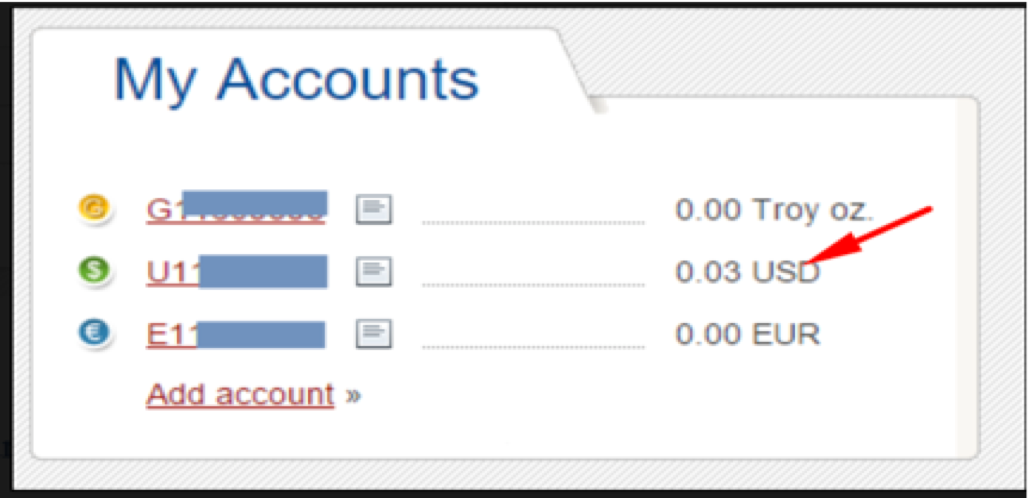
To withdraw, you save the address on your payment settings on clicklancers HERE
Then click on withdraw and choose Perfect Money as your preferred payment method and enter amount then proceed to request the withdrawal
We will receive the withdrawal request and process it in the shortest time possible.
Visit www.perfectmoney.com and fill the required details. The fields are self-descriptive and you won’t have any issue filling out.
Login to your Perfect money account and copy the USD account number which normally starts with letter U. This is the account number we will send your funds to when you withdraw
To withdraw, you save the address on your payment settings on clicklancers HERE
Then click on withdraw and choose Perfect Money as your preferred payment method and enter amount then proceed to request the withdrawal
We will receive the withdrawal request and process it in the shortest time possible.
Updated on: 27/04/2023
Thank you!